> ## Documentation Index
> Fetch the complete documentation index at: https://docs.codegen.com/llms.txt
> Use this file to discover all available pages before exploring further.
# Analytics
What impact are code agents having on your codebase (and your finances) today? How can you better deploy them across your org?
Codegen Analytics was built to answer these questions and more.
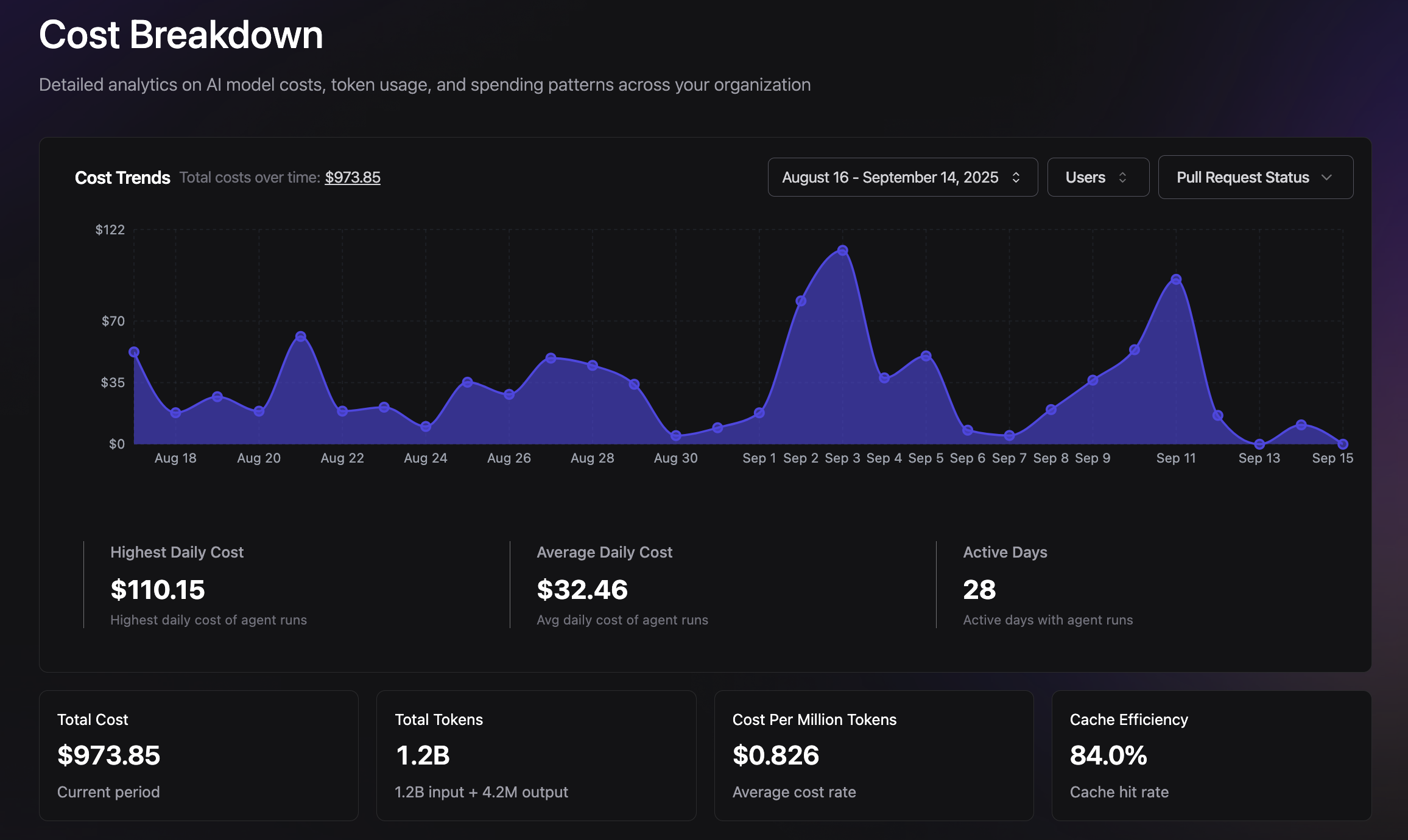 Access detailed analytics on agent performance, costs, and team productivity.
## Key Metrics
Track the metrics that matter most for your development workflow:
* **Pull Request Analytics** - Monitor code merged, review velocity, and contributor activity
* **Agent Tool Usage** - See which tools agents use most frequently and their success rates
* **Cost Analysis** - Track spending across different models, agents, and time periods
* **Performance Insights** - Analyze agent response times and task completion rates
* **Team Activity** - Understand how different team members interact with agents
## Features
### Pull Request Tracking
* **Merge velocity** - Track how quickly PRs are created and merged
* **Author activity** - See contributor patterns and productivity trends
* **Status monitoring** - Monitor PR states and resolution times
### Detailed Filtering
* **Date range selection** - Analyze data over custom time periods
* **User-specific views** - Filter by individual team members
* **Status filtering** - Focus on specific PR states or outcomes
* **Interactive charts** - Explore data with dynamic visualizations
### Real-time Insights
* **Live dashboards** - Get up-to-date metrics on agent activity
* **Trend analysis** - Identify patterns in agent usage and effectiveness
* **Cost optimization** - Make informed decisions about model selection and usage
## Use Cases
**Performance Optimization**
* Identify which agents and tools provide the best ROI
* Optimize model selection based on cost and performance data
* Track improvement in development velocity over time
**Team Insights**
* Understand how different team members leverage AI assistance
* Identify opportunities for increased agent adoption
* Monitor the impact of agents on overall productivity
**Cost Management**
* Track spending across different LLM providers and models
* Identify high-cost operations and optimize usage patterns
* Budget and forecast AI assistance costs
Use analytics to continuously optimize your agent workflows and demonstrate
the value of AI assistance to your organization.
Access detailed analytics on agent performance, costs, and team productivity.
## Key Metrics
Track the metrics that matter most for your development workflow:
* **Pull Request Analytics** - Monitor code merged, review velocity, and contributor activity
* **Agent Tool Usage** - See which tools agents use most frequently and their success rates
* **Cost Analysis** - Track spending across different models, agents, and time periods
* **Performance Insights** - Analyze agent response times and task completion rates
* **Team Activity** - Understand how different team members interact with agents
## Features
### Pull Request Tracking
* **Merge velocity** - Track how quickly PRs are created and merged
* **Author activity** - See contributor patterns and productivity trends
* **Status monitoring** - Monitor PR states and resolution times
### Detailed Filtering
* **Date range selection** - Analyze data over custom time periods
* **User-specific views** - Filter by individual team members
* **Status filtering** - Focus on specific PR states or outcomes
* **Interactive charts** - Explore data with dynamic visualizations
### Real-time Insights
* **Live dashboards** - Get up-to-date metrics on agent activity
* **Trend analysis** - Identify patterns in agent usage and effectiveness
* **Cost optimization** - Make informed decisions about model selection and usage
## Use Cases
**Performance Optimization**
* Identify which agents and tools provide the best ROI
* Optimize model selection based on cost and performance data
* Track improvement in development velocity over time
**Team Insights**
* Understand how different team members leverage AI assistance
* Identify opportunities for increased agent adoption
* Monitor the impact of agents on overall productivity
**Cost Management**
* Track spending across different LLM providers and models
* Identify high-cost operations and optimize usage patterns
* Budget and forecast AI assistance costs
Use analytics to continuously optimize your agent workflows and demonstrate
the value of AI assistance to your organization.